Contact Us

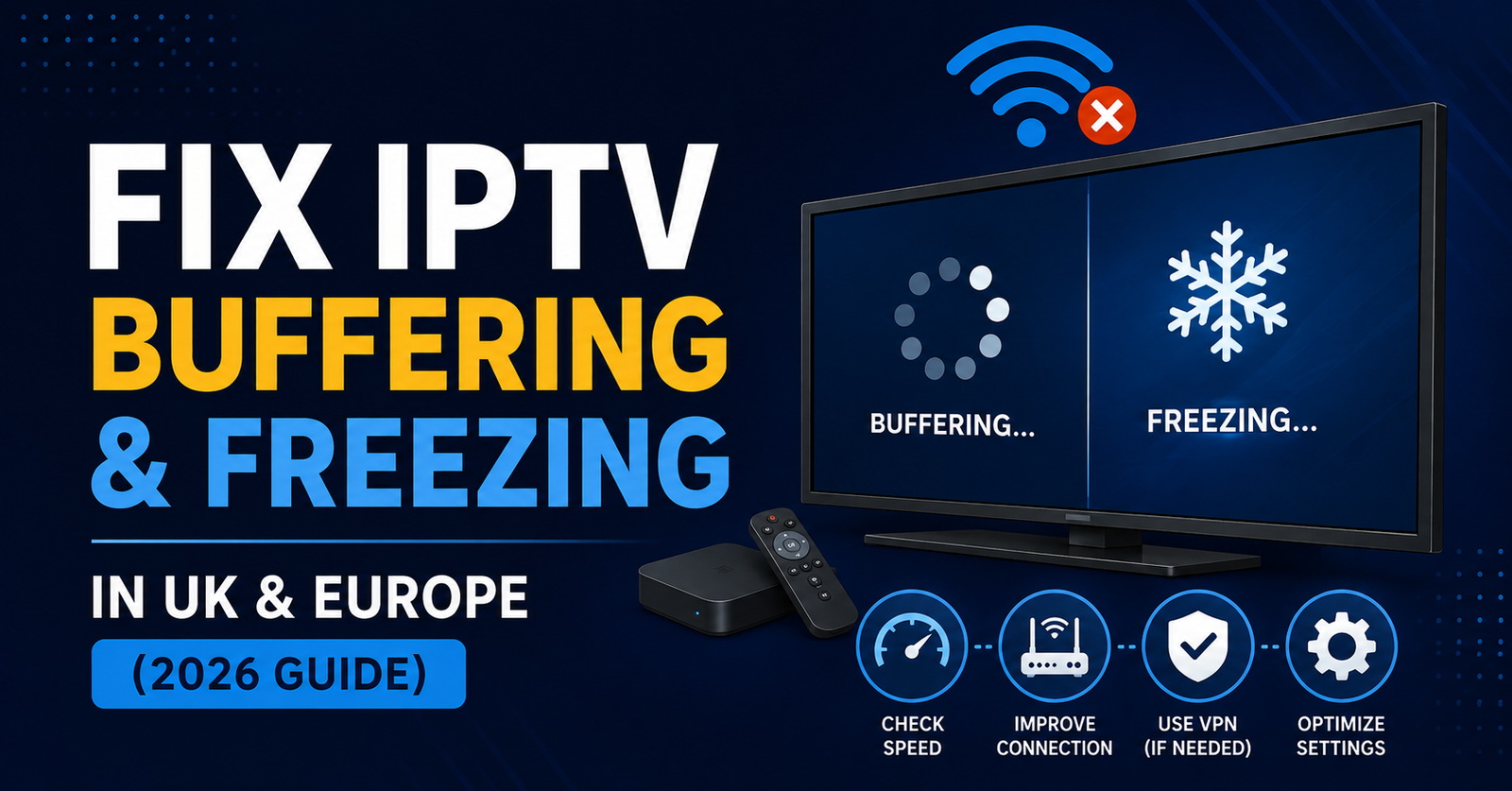
Fix IPTV Buffering & Freezing in UK & Europe (2026 Guide)
Most IPTV buffering and freezing comes down to one of three things: your internet connection, your streaming device, or the provider’s server load, and the way to Fix IPTV Buffering & Freezing in UK & Europe is to check each of these in order rather than guessing. Start with your connection speed and Wi-Fi signal, then look at your app cache and device performance, and only then consider whether the provider itself is struggling. Working through the checks in that order saves time and usually points straight at the real cause instead of leaving you swapping providers for no reason.
[ez-toc]
Fix IPTV Buffering & Freezing in UK & Europe: Start With the Connection
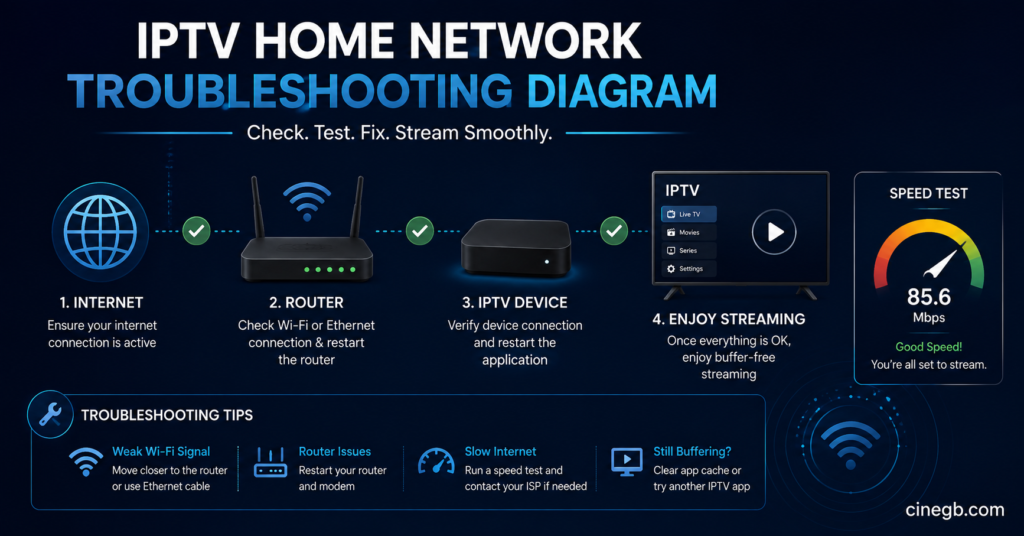
Before touching any app settings, rule out the network. IPTV streams need a steady connection more than a fast one. A line that tests at 40Mbps but drops out every few minutes will buffer far more than a stable 15Mbps connection. Run a speed test on the same device you stream on, at the same time of day the buffering happens, not first thing in the morning when the household network is quiet.
Wi-Fi is the most common weak point. Streaming boxes sitting behind a TV cabinet, on the far side of a brick wall, or sharing a channel with a neighbour’s router will drop packets even when the headline speed looks fine. Where possible, connect the streaming device to the router with an Ethernet cable. It removes an entire category of buffering causes in one step.
| Problem | Likely Reason | Next Action |
|---|---|---|
| Buffering only in the evening | Network congestion at peak hours | Test speed at 8-9pm, consider a wired connection |
| Buffering on one device only | Weak Wi-Fi signal or old device hardware | Move closer to the router or switch to Ethernet |
| Buffering on every device at once | Router or ISP issue | Restart the router, contact your ISP if it continues |
| Freezing during specific content | Provider server load | Try again later or check with provider support |
Pro tip: Test your speed with the streaming app closed and again while it’s running. A big drop between the two often points to the device itself struggling to decode the stream, not the connection.
Router and Home Network Settings That Actually Matter
A handful of router settings genuinely affect IPTV performance. If the router supports Quality of Service (QoS), setting the streaming device as a priority can stop other household traffic, like a phone backing up photos, from stealing bandwidth mid-match. Older routers running on the 2.4GHz band alone tend to struggle with multiple simultaneous streams, so switching to a 5GHz network or a mesh system helps if buffering happens across several rooms.
Double NAT setups, common when a separate modem and router are both active, can also cause intermittent freezing that looks random but isn’t. Checking whether the device is behind two layers of NAT, and bridging one of them, resolves this more often than people expect.
App, Cache and Device-Side Fixes for IPTV Buffering & Freezing
Once the network checks out, the device running the IPTV app is next. Cached data builds up over weeks of use and can slow down how quickly the app loads channels or switches streams. Clearing the app cache, not the whole app data if avoidable, is usually enough to bring performance back without losing saved settings.
Older streaming boxes and budget Android devices with limited RAM are a common source of freezing that has nothing to do with the internet at all. If a device is a few years old and struggles to run more than one app smoothly, it will also struggle to decode higher bitrate IPTV streams, particularly in 4K. Closing background apps, restarting the device weekly rather than leaving it in standby permanently, and keeping the IPTV app itself updated all make a measurable difference.
Pro tip: If freezing happens specifically on 4K or high-bitrate channels but SD and HD play fine, the device’s processor is very likely the limiting factor, not the network.
For anyone still deciding which device and provider combination suits their household, a general comparison of options is worth reading before assuming the current setup is the problem: Best IPTV Subscription for UK & Europe in 2026.
When the Buffering Is Coming From the Provider’s Side
Not every buffering issue is fixable on your end. IPTV relies on server capacity, and during high-demand periods, such as popular live events, some providers see slower stream delivery across their whole customer base, not just one household. This shows up as buffering that starts and stops at the same time for other subscribers too, which is a useful way to tell it apart from a local network fault.
An illustrative example: a provider like Skip This might run perfectly well on a quiet weekday evening but show more strain during a high-traffic period, the same as most IPTV services can. That’s not a mark against any one provider specifically, it’s a general reality of how streaming infrastructure behaves under load, and it’s worth judging any provider, including Skip This, on how it performs consistently over weeks rather than a single busy night.
If buffering keeps happening at the same times regardless of what’s been changed on the network or device side, it’s reasonable to ask the provider directly about their server capacity and whether they operate multiple regional servers.
| Good Sign | Warning Sign |
|---|---|
| Provider explains server regions and capacity clearly | Vague answers when asked about server load |
| Consistent performance across weeks, not just one good night | Buffering that’s brushed off without explanation |
| Support responds with practical troubleshooting steps | Support only suggests restarting and nothing else |
Device-Specific Checks Worth Ten Minutes
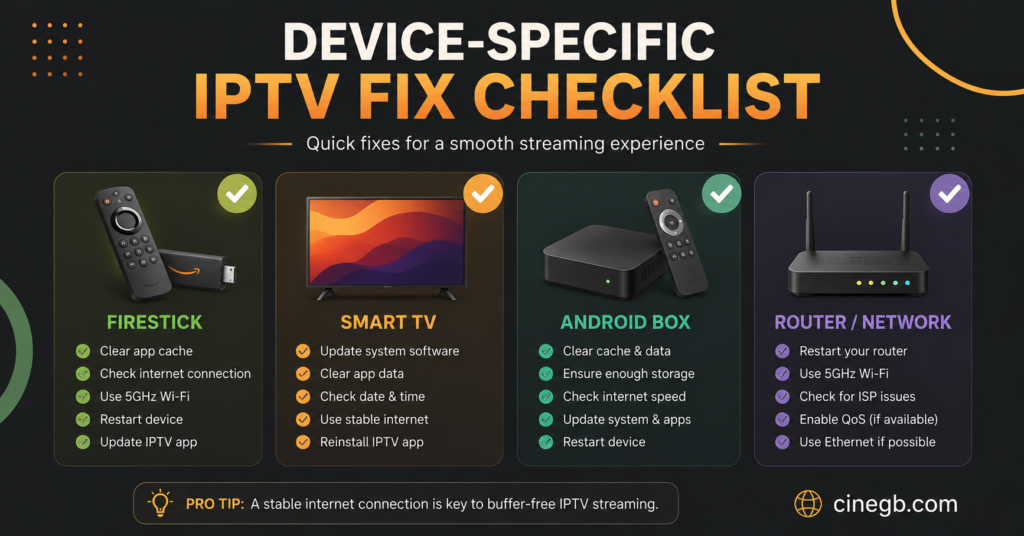
Firestick and Fire TV devices benefit from clearing cache under Settings, Applications, and from disabling unused background apps that quietly consume RAM. Android TV boxes often have a hidden setting for hardware decoding, which should stay switched on for smoother 4K playback. Samsung and LG Smart TVs, where the IPTV app runs natively, tend to buffer when the TV’s own storage is nearly full, so checking available space matters more than people expect on these devices.
IPTV Support: Subscriber Troubleshooting vs Reseller Troubleshooting
Subscribers troubleshooting their own buffering usually just need to work through connection, device and provider checks in order, as above, and lean on IPTV support if the problem persists after trying the basics. It’s worth asking support directly whether other customers in the same region are reporting the same issue, since that answer alone often tells you whether it’s local or wider.
Resellers face a different version of the same problem. When a customer reports buffering, the reseller dashboard is usually the first place to check, since it can show whether a specific credit or sub-account is hitting connection limits, rather than assuming it’s a general server issue. Reviewing concurrent connection limits per customer account is often the fastest way to rule out account-level causes before escalating anything to the panel provider.
Pro tip: Resellers should keep a simple log of which customers report buffering and when. A pattern across several unrelated customers at the same time points to a server-side issue worth raising with the panel provider directly, rather than troubleshooting each customer individually.
Anyone reviewing their overall setup, including which plan or IPTV subscription UK package best matches their household’s number of devices and streaming habits, can compare the available options here: IPTV Subscription Plans.
Should You Switch Provider or Fix What You Have?
Switching provider is sometimes the right call, but only after the connection and device checks above have genuinely been ruled out. Buffering that follows a customer from one provider to the next, despite different servers, almost always points back to the home network or the device rather than the service itself. If the issue clears up immediately on a different provider using the exact same network and device, that’s a much stronger signal that the previous provider’s infrastructure was the limiting factor.
For UK IPTV reseller businesses fielding this question from customers regularly, it helps to have a simple explanation ready, since customers often assume buffering means the provider is failing when the actual cause is a weak Wi-Fi signal three rooms away from the router. Anyone setting up a reseller panel and wanting a clearer picture of how credits, dashboards and customer support responsibilities fit together can start here: IPTV Reseller Panels.
Pro tip: Before assuming a provider fault, ask the affected customer to test on mobile data instead of home Wi-Fi for two minutes. If the stream runs cleanly, the home network is very likely the cause.
Frequently Asked Questions
Why does my IPTV keep buffering even though my internet is fast?
A fast connection isn’t the same as a stable one. Wi-Fi interference, an overloaded router, or an old streaming device can all cause buffering even on a high-speed line. Testing with an Ethernet cable is the quickest way to rule the network in or out.
Does clearing the app cache actually help with freezing?
Yes, in many cases. Cached data builds up over time and can slow down channel loading and stream switching. Clearing it regularly, alongside keeping the app updated, is a simple maintenance step that prevents a lot of avoidable freezing.
Can a cheap streaming box cause buffering on its own?
Yes. Budget boxes with limited processing power can struggle to decode higher bitrate streams, particularly 4K content, even on a strong internet connection. If freezing only happens on higher quality channels, the device is a likely factor.
How do I know if the buffering is my provider’s fault?
If buffering happens at consistent times regardless of network or device changes, and other subscribers report the same pattern, it’s reasonable to raise server capacity directly with IPTV support rather than assuming it’s local.
Is there a difference between how subscribers and resellers should troubleshoot buffering?
Subscribers generally focus on their own connection and device. Resellers should also check the customer’s account limits and concurrent connections through the reseller dashboard before escalating anything further.
Will switching provider fix buffering if my Wi-Fi is weak?
Not usually. If the network or device is the actual cause, buffering will likely continue with a new provider too. It’s worth ruling those out first, since switching won’t fix a problem that isn’t provider-related.