Contact Us

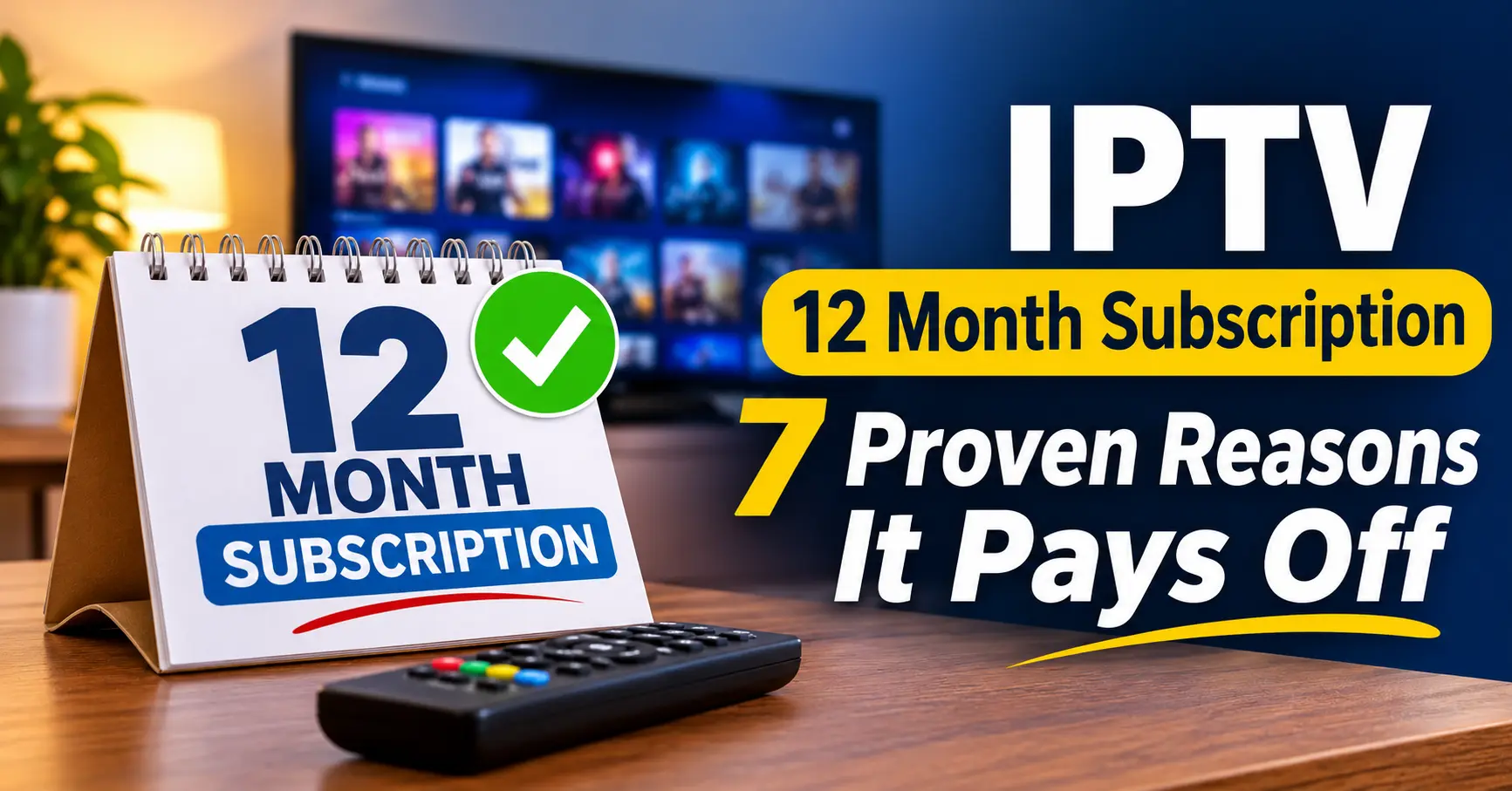
Is an IPTV 12 Month Subscription Worth It? My Honest Take After Years of Testing
So, should you lock in for a whole year? For most people who already know their viewing habits, an IPTV 12 month subscription is the better deal, usually by a wide margin. The catch is that it only works if the provider behind it is stable, honest and properly supported.
I’ve spent the best part of fifteen years writing about telecoms and streaming tech, and I’ve bought, tested and quietly cancelled more yearly plans than I’d like to admit. What follows is the stuff I wish someone had told me before my first annual purchase: the real maths, the warning signs, and how the whole IPTV service chain works behind the scenes.
What You’re Really Buying With an IPTV 12 Month Subscription
Strip away the marketing and a yearly plan is fairly simple. You pay once, upfront, and in return you get login access to a streaming service for twelve months on an agreed number of devices.
Behind that login sits a lot of moving parts. There’s the content source, the servers that deliver streams, the electronic programme guide, the apps on your telly, and the person or business who sold you the account. When you buy an IPTV 12 month subscription, you’re really betting that every one of those parts stays healthy for a year.
That’s the bit people overlook. A monthly plan lets you walk away the moment quality slips, whereas a yearly plan asks you to trust the operation for 365 days.
The Connection Question
Most packages are sold per connection, which simply means how many screens can stream at once. One connection suits a single viewer, but a family of four watching in separate rooms will need more, and the price climbs accordingly.
Check this before anything else. I’ve seen plenty of buyers save money on the annual price only to discover their plan allows one stream, which turns Sunday evening into a household negotiation.
Picture Quality and Stability
Resolution claims are cheap to make. Plenty of sellers advertise 4K, but what matters far more is whether HD streams stay smooth when the whole country switches on at the same time.
Stability comes down to server capacity and how well the provider balances load. You can’t inspect that yourself, but a trial at peak hours will tell you most of what you need to know.
What Should Be Included as Standard
Any decent IPTV service should give you a working programme guide, catch-up on at least some channels, a video library, and clear setup help for common devices. If a seller can’t tell you plainly what’s included, treat that as your first warning sign rather than a minor gap.
Monthly, Quarterly or Yearly? The Numbers Side by Side
Here’s where the yearly plan earns its reputation. The figures below are illustrative, based on typical UK pricing patterns I’ve tracked over the last few years, so treat them as a guide rather than a quote.
| Plan length | Typical price per month | Total over 12 months | Saving vs monthly |
|---|---|---|---|
| Monthly | £12 | £144 | None |
| 3 months | £10 | £120 | About 17% |
| 6 months | £8.50 | £102 | About 29% |
| 12 months | £5.50 to £6.50 | £66 to £78 | About 45% to 55% |
Look at that last row for a moment. Paying monthly for a full year can cost roughly double what an IPTV 12 month subscription costs, and that gap is fairly consistent across the market.
Why is the discount so steep? Providers and resellers value predictable income, and a customer who pays upfront doesn’t need chasing every four weeks. You’re essentially being rewarded for removing their admin and their risk.
Still, the numbers only tell half the story. A saving of £70 means nothing if the service disappears in month five, which is why the rest of this guide focuses on what makes the yearly plan safe.
Seven Proven Reasons the Yearly Plan Pays Off
After years of testing different plan lengths, these are the reasons I keep coming back to annual billing. They’re ranked roughly by how much they’ve mattered to me personally.
- The lowest cost per month. As the table shows, an IPTV 12 month subscription typically halves your monthly spend compared with rolling payments.
- One payment, one renewal date. You stop worrying about a card declining halfway through a big match or an account quietly expiring on a Friday night.
- Price protection. Streaming prices tend to creep up over time. Locking in for a year shields you from any increases in the meantime.
- Better standing with your seller. Annual customers often get faster replies from support because they represent more value to the business.
- Room to settle in. A year gives you time to fine-tune your apps, favourites and guide, rather than starting fresh every few weeks.
- Extras that monthly plans skip. Some sellers bundle an additional connection, a longer catch-up window or priority support with annual plans.
- Less decision fatigue. It sounds trivial, but not having to reassess your TV setup every month is a genuine relief.
None of these benefits are guaranteed, of course. They depend entirely on choosing well, and that’s where things can go wrong.
Where a Year Long Commitment Goes Wrong
Let me tell you about a mate of mine in the Midlands. Two winters ago he found a yearly deal at a price that frankly looked too good, paid around £35, and spent three blissful months telling everyone at the pub about it.
Then the streams started buffering at peak times. A few weeks later the seller’s messaging account went silent, and by month five the login simply stopped working. He’d lost most of his money and, worse, he’d sworn off the whole idea.
His story isn’t unusual. In my experience, a yearly plan fails for one of a handful of reasons, and almost all of them are visible before you pay.
Prices That Don’t Add Up
Extremely cheap annual deals usually mean one of two things. Either the seller is cutting corners on servers, or they don’t expect to be around in a year, and neither is good news for you.
No Trial, No Contact, No Clarity
Sellers who refuse a short trial, offer only a single anonymous chat handle, or can’t explain their refund terms are asking for blind trust. That’s a lot to ask for twelve months of your money.
Content Rights Nobody Mentions
There’s also a legal side that too many buyers skip. Streaming technology is perfectly legitimate, but the content flowing through it needs to be properly licensed, and in the UK watching unlicensed material can land the viewer in trouble as well as the seller. Before committing for a year, ask the provider how its content is sourced and make sure the answer satisfies you.
Honestly, if a seller gets defensive at that question, you’ve learned something useful. Walk away and keep your money.
How an IPTV Reseller and the IPTV Panel Fit In
Few buyers realise that the person who sells them a subscription is rarely the company running the servers. In most cases you’re buying from an IPTV reseller, a business that purchases access in bulk and sells it on to customers under its own brand and support.
This setup isn’t a bad thing. A good reseller acts as your local point of contact, handles setup questions in plain English, and sorts out problems far faster than a faceless provider ever would.
What Happens Inside the IPTV Panel
Every reseller manages customers through an IPTV panel, which is essentially a control dashboard. From there they create accounts, set expiry dates, assign connections, and renew or extend subscriptions using credits bought from the provider.
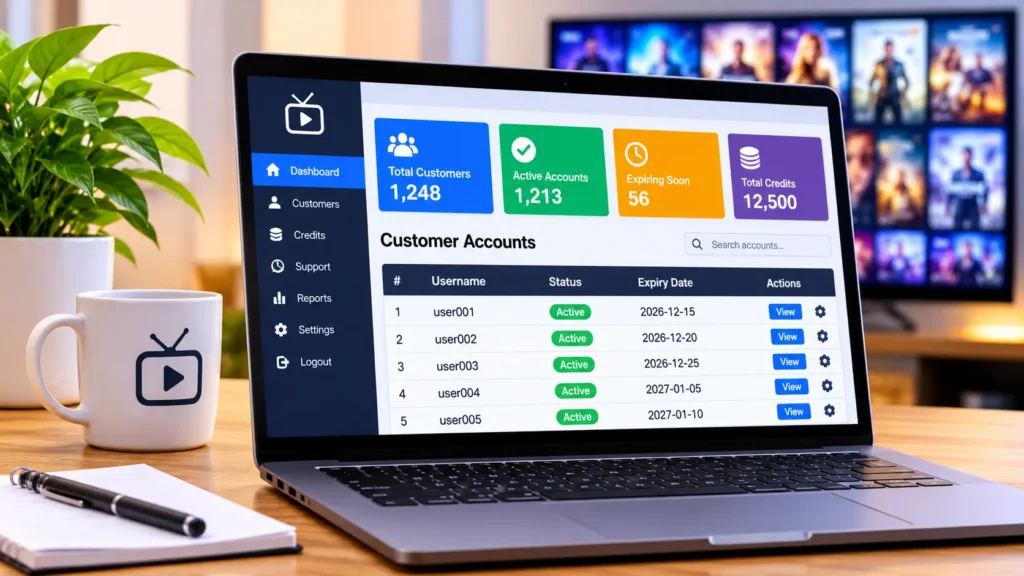
When you buy an IPTV 12 month subscription, your seller spends a set number of those credits to create your line. That’s part of why annual plans are cheaper per month: one transaction, one account, and far less admin on the panel side.
Why the Panel Matters to You as a Viewer
You’ll never see the panel yourself, but its quality shapes your experience. A reliable IPTV panel lets a reseller fix a frozen account in minutes, move you to a different server, or reset a device lock without fuss.
On the other hand, a reseller working from a clunky or unstable dashboard will struggle to help, however friendly they are. I’ve sat beside resellers while they worked through a busy support queue, and the gap between a well-built system and a poor one is enormous.
Questions Worth Asking Your Reseller
A quick conversation tells you a lot. Ask how long they’ve been operating, what happens if the service has an outage, whether they can move your account to a backup server, and how renewals work when your year is up.
Good resellers answer these happily. If you’d like a broader framework for comparing sellers, my guide to Choosing an Internet TV Subscription That Won’t Let You Down → /choosing an internet tv subscription walks through it step by step.
My Pre-Purchase Checklist for an IPTV 12 Month Subscription
Print this out, save it to your phone, or just run through it in your head. I use a version of it every time I review a new IPTV service, and it’s saved me from more than one bad purchase.
- Take a trial of at least 24 hours, ideally covering an evening when everyone’s streaming
- Test the exact devices you’ll use, not just your phone
- Watch live content at peak time and note any buffering or dropped streams
- Check that the programme guide loads correctly and matches what’s actually showing
- Confirm how many connections your IPTV 12 month subscription includes
- Ask for the refund policy in writing before paying
- Look for at least two ways to contact support
- Ask how the content is licensed and sourced
- Find out what happens at renewal and whether the price changes
- Pay with a method that offers some buyer protection where possible
If a seller ticks eight or more of those boxes, you’re in reasonable shape. Fewer than six, and I’d keep looking.
The First Week: Getting Your Setup Right
Once you’ve paid, the first seven days matter more than people think. This is your window to catch problems early, while the seller still remembers your purchase and while any refund terms are most likely to apply.
Day One: Install and Log In
Your seller will usually send login details as an M3U link, Xtream Codes credentials, or a portal address for set-top boxes. Most viewers in the UK use a Fire Stick, an Android box or a smart TV app, and setup takes ten to twenty minutes if you follow the seller’s instructions.
Write your credentials down somewhere safe. It sounds obvious, but you’d be surprised how many support tickets begin with a lost password.
Days Two to Five: Stress Test It
Use the service the way you normally would, and then a little harder. Stream on two devices at once if your plan allows it, scroll through the guide, try catch-up, and watch something at nine on a Saturday night when demand peaks.
Jot down a few notes as you go. A quick line on your phone, such as “froze twice around 9pm” or “guide wrong on two channels”, gives you something concrete to show support if you need to raise it.
Days Six and Seven: Decide
By the end of the week you should know whether your IPTV 12 month subscription is a keeper. If something feels off, raise it with your IPTV reseller now rather than in month three, when your options will be far fewer.
Is it fussy to treat a TV subscription like a product test? Perhaps. But a year is a long time to live with a mistake, and a week of attention is a small price to pay.
When a Yearly Plan Isn’t the Right Call
Annual billing isn’t for everyone, and I’d be doing you a disservice if I pretended otherwise. There are a few situations where shorter plans make more sense.
Students and anyone renting short term may move house, change broadband or head home for summer, which can make a twelve month commitment awkward. Similarly, if you’ve never used an IPTV service before, a monthly or quarterly plan is a sensible way to learn what you actually watch.
Budget is the other factor. Paying £60 or £70 upfront is easy for some households and genuinely difficult for others, and there’s no shame in paying a little more per month to keep your cash flow comfortable.
Broadband deserves a mention too. If your connection regularly drops below 15 to 20 Mbps in the evening, no subscription will look its best, so it’s worth fixing that first before you commit to anything long term.
My usual advice is to start with a one or three month plan from a seller you like, then switch to an IPTV 12 month subscription once you’re confident in them. Many resellers will happily put the remaining time on a short plan towards an annual upgrade if you ask.
Renewals, Upgrades and Getting More From Your Year
Think of renewal day as a chance to renegotiate rather than a formality. Loyal customers often have more bargaining power than they realise, and a polite message asking about loyalty pricing or an extra connection can pay off.
Keep an eye on the expiry date as well. A good IPTV panel lets resellers send renewal reminders automatically, but not every seller uses that feature, so set your own calendar alert a fortnight before your IPTV 12 month subscription ends.
Adding a connection mid-year is usually possible too. Your reseller can typically extend your account through their dashboard and charge a pro-rated amount for the extra screen.
Below is the simple renewal routine I follow each year:
- Set a reminder two weeks before expiry.
- Review how the service performed over the year, including any outages.
- Ask your seller about loyalty pricing or bundled extras.
- Renew only if the past twelve months justify another year.
Where I’d Put My Money This Year
For anyone who knows what they watch and has found a seller they trust, an IPTV 12 month subscription remains the smartest way to buy streaming TV. The savings are real, the convenience is real, and the hassle of monthly renewals simply disappears.
What makes it work isn’t the price, though. It’s the people and the technology behind your login: a dependable IPTV service, a responsive IPTV reseller, and a well-run IPTV panel quietly doing its job in the background.
Take your time, run the trial, ask the awkward questions, and then commit with confidence. Your future self, settled on the sofa with a year of viewing already paid for, will thank you.
Frequently Asked Questions
Is an IPTV 12 month subscription cheaper than paying monthly?
Yes, in almost every case. Annual plans typically cost between 45 and 55 percent less than paying month by month over the same period. The exact saving depends on the seller and the number of connections. Always compare the total yearly cost rather than the headline monthly figure.
Can I get a refund if my IPTV 12 month subscription stops working?
That depends entirely on the seller’s refund policy, which is why you should ask for it in writing before paying. Reputable sellers usually offer a refund or credit within the first few days, and some will compensate for extended outages. Once a few months have passed, refunds become much harder to secure. Paying with a method that offers buyer protection gives you an extra safety net.
How many devices can I use on one plan?
Nearly all plans are sold per connection, meaning one active stream at a time. You can usually install the app on several devices, but only the number of connections you’ve paid for can stream at once. Families often need two to four connections. Your reseller can add more, usually for an additional fee.
What is the difference between an IPTV reseller and a provider?
Providers run the servers and source the content, while a reseller buys access in bulk and sells it to customers under their own brand. The reseller manages your account through an IPTV panel and handles your support. For most viewers, a good reseller offers faster, friendlier help than going direct. The key is choosing one with a solid track record.
Should I take a trial before committing for a whole year?
Absolutely, and I’d say it’s the single most important step. A trial of 24 to 48 hours lets you test streams on your own devices at peak times. It also shows you how quickly the seller responds to questions. If a seller won’t offer any kind of trial, take that as a reason to look elsewhere for your IPTV 12 month subscription.