
Contact Us

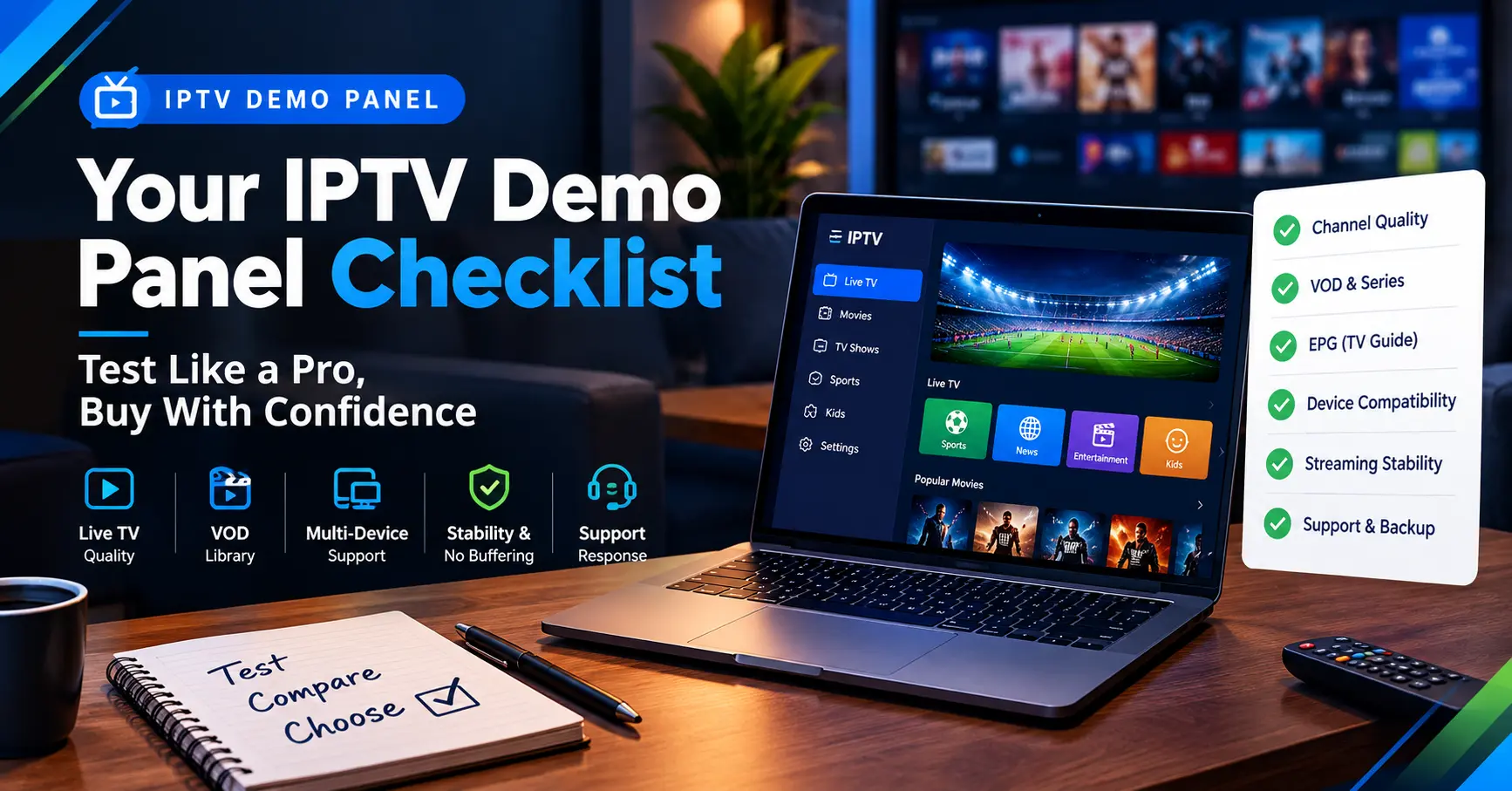
Your IPTV Demo Panel Checklist: Test Like a Pro, Buy With Confidence
Picture this. It’s ten past eight on a Saturday evening, the match has just kicked off, and the stream you paid for has frozen for the third time. You handed over three months of subscription money last week. Sound familiar?
That frustration is exactly what an IPTV demo panel exists to prevent. A good one lets you test a service, check the channels you care about and judge the picture quality before a single pound leaves your account. I’ve spent years poking around these trial setups, and I’ll show you how to use one properly.
Whether you’re a household shopping for a premium IPTV service or an IPTV reseller sizing up a new supplier, the principle is identical. Test first, pay later. It sounds obvious, yet plenty of people skip it because the sales page looked convincing.
Stick with me for the next few minutes and you’ll know what to ask for, what to measure and which warning signs to take seriously. I’ll also be honest about the parts no trial can fix.
What an IPTV Demo Panel Actually Is
Strip away the jargon and it’s simple. A demo panel is a limited, short-term login that a supplier hands you so you can try the service. Sometimes it’s a 24-hour test line. Sometimes it’s a sandbox dashboard with a handful of channels switched on.
Behind the scenes, the panel is the management dashboard an IPTV provider uses to create and monitor accounts. A good IPTV demo panel gives you a taste of that world, or at least a working credential you can drop into a media player app. Either way, you’re seeing the real service rather than a brochure.
There are two flavours worth knowing about. The first is the customer-facing trial, usually delivered as an M3U playlist link, an Xtream Codes style login or a portal address. The second is the reseller-facing demo, where a prospective seller sees credit systems, user creation tools and reporting screens.
Neither type is a commitment, and a decent IPTV demo panel shouldn’t cost much. Some suppliers charge a small fee to filter out time wasters, which is fair. If one asks for serious money upfront, treat that as your first warning.
Why Smart Buyers Insist on a Trial First
Reviews help, but only up to a point. Trustpilot scores can be gamed, and glowing forum posts often come from people holding a referral link. A free trial can’t be faked in quite the same way.
Ofcom’s Media Nations reports keep showing how heavily UK households now rely on streaming for their evening viewing. That’s exactly why a flaky service hurts more than it used to. When the whole family depends on it, buffering stops being a minor irritation and becomes a household argument.
Why an IPTV Demo Panel Beats Any Review
Think about buying a car. You wouldn’t sign the paperwork without a test drive, would you? A review is someone else’s drive, on someone else’s road, at someone else’s speed.
Your broadband, router, device and viewing habits all shape how a stream behaves. An IPTV demo panel lets the service meet your actual setup. That’s information no star rating can give you.
Which? has long urged consumers to read cancellation terms before joining any subscription, and the advice fits here. Use the trial to read those terms as well as to watch the football. For a wider look at pricing and contracts, see how to choose an IPTV subscription.
Then there’s the matter of support. You’ll find out in a day or two whether anyone answers messages, and whether the replies make sense. That alone can save you a month of regret.
My Seven-Step Testing Routine
Over the years I’ve settled on a routine that takes about two days and catches nearly every problem with any IPTV demo panel. You don’t need technical skills, only patience and a notepad. Here’s the order I follow.
- Request the trial with a written list of the channels, sports and languages you actually need.
- Time how long the supplier takes to send working credentials. Hours is fine, days is not.
- Test during peak hours, such as a weeknight around eight or a Saturday afternoon.
- Switch between at least ten channels and note how long each one takes to load.
- Check the programme guide against another source to see whether times and titles are accurate.
- Try catch-up and video on demand if the service advertises them.
- Send support a genuine question and record how quickly, and how helpfully, they respond.
Notice that step three matters most. Anyone’s service looks great at 10am on a Tuesday when almost nobody’s watching. Evening and weekend load is where weak servers wobble. I once tested a supplier at lunchtime, loved it, and then watched it fall apart on a Friday night.
Write your results down, even roughly. Scores out of ten for picture, speed, guide accuracy and support are plenty. When you compare two suppliers a week later, your memory won’t be as reliable as your notes. The IPTV demo panel gives you access, but the notes give you the verdict.
One more tip: test on the device you’ll really use. A service that behaves nicely on a laptop can stutter on an older smart TV or a budget streaming stick. Hardware matters more than most sellers admit.
A Worked Example: Two Suppliers, One Weekend
Imagine you’re comparing two suppliers, which I’ll call Alpha and Beta. Both claim to deliver everything a household could want. Neither has given you a single reason to trust them yet.
Alpha sends credentials within twenty minutes and offers a 48-hour trial. On Friday evening its channels load in under three seconds, and the guide matches the BBC and Sky listings you check against. Support answers a question about catch-up inside an hour.
Beta takes most of a day to reply and gives you just six hours of access. Its channels hover around eight seconds to load, and two of your must-have sports channels freeze during the match. Support finally responds the next morning with a copy-pasted line.
Scores on the doors, Alpha wins easily. But here’s the twist: Beta is forty percent cheaper. Is that saving worth the frustration? For me, never, though a casual viewer with modest needs might reasonably choose differently.
Licensing: The Question No Demo Can Answer
Here’s the awkward part. An IPTV demo panel tells you how a service performs, but it can’t tell you whether the content is properly licensed. Sellers of unlicensed streams face serious legal risk in the UK, and viewers are left with a service that can vanish without warning.
Organisations such as the Federation Against Copyright Theft and the Alliance for Creativity and Entertainment actively pursue unlicensed operators. Shutdowns tend to arrive without notice. That’s a real trade-off to weigh against a low price.
So ask directly. Which rights holders does the supplier work with? Can they show proof of licensing for the channels they sell? A serious IPTV provider will answer plainly, and one that dodges the question has told you what you need to know.
Price offers a clue as well. Genuine rights cost real money, so a package that undercuts every competitor by a huge margin deserves a raised eyebrow. I’m not saying cheap always means dodgy. I’m saying you should ask why.
Demo Account or Full Subscription? A Side-by-Side Look
A typical IPTV demo panel account isn’t identical to a paid one, and it pays to know where they differ. The table below shows what I usually see.
| Feature | Typical demo | Full subscription |
|---|---|---|
| Duration | 12 to 48 hours | Monthly to yearly |
| Channel list | Often trimmed | Complete |
| Simultaneous connections | Usually one | One to several |
| VOD and catch-up | Sometimes locked | Usually included |
| Support priority | Basic | Usually faster |
| Cost | Free or low | Full price |
Remember that a trimmed trial isn’t a bad sign by itself. It’s normal for a supplier to cap bandwidth or channels on free lines. What matters is whether the core experience matches what a premium IPTV service should deliver. Ask outright whether your IPTV demo panel runs on the same servers as paying customers.
Connection limits are another thing to check. Many trials allow a single stream, so you won’t see how the service copes when two family members watch different channels. Ask the supplier whether the full plan lifts that limit.
When You’re the IPTV Reseller, Not the Customer
Resellers face a different question: can I build a business on this supplier? The stakes are higher because your customers’ complaints land on you, not on the company behind the scenes.
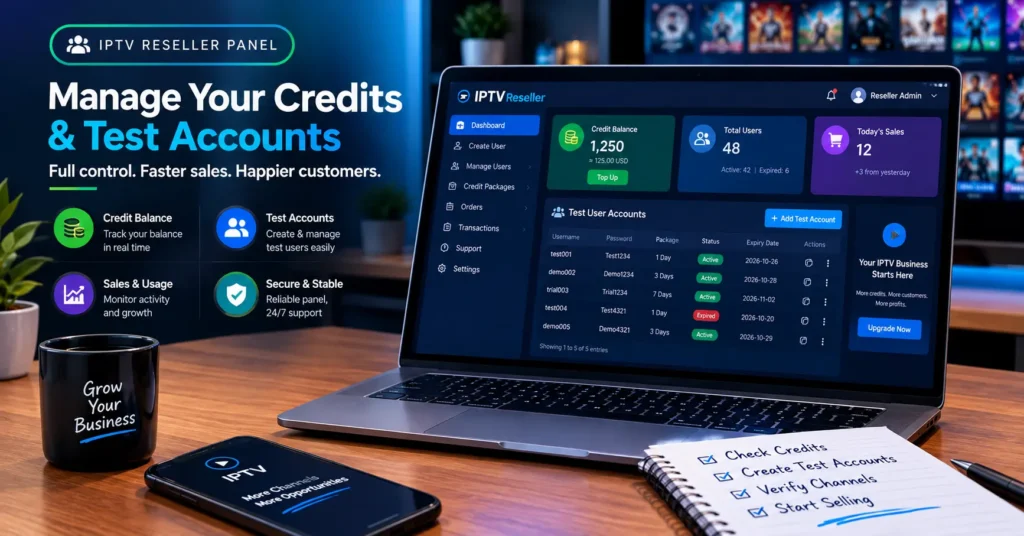
Credits, pricing tiers and panel features all deserve scrutiny. A reseller-facing IPTV demo panel should let you create test lines, watch how credits deduct and see what your customers will experience. If the dashboard feels clumsy to you, imagine how it’ll feel at midnight with an angry customer on the phone.
Ask how quickly the supplier fixes outages and whether they warn resellers in advance. Ask what happens to your credits if a server goes down. Ask for a few references from other resellers if they’ll give them.
Support structure matters enormously here. Some suppliers offer a ticket system with sensible response times, while others leave you chasing someone on a messaging app. Know which one you’re signing up for before you promise anything to your own customers.
Honestly, I’d rather work with a supplier who’s open about limits than one promising 99.99 percent uptime on a sales page. Every IPTV reseller I respect learned that lesson through a bad weekend. If you’re still weighing up the business side, starting an IPTV reseller business covers the basics.
Red Flags That Should Send You Elsewhere
Some warning signs show up before you’ve watched a single minute.
- Refusal to offer any trial, or a trial priced like a full month.
- Payment only through untraceable methods, such as gift cards, with no invoice.
- Sales pages promising every channel on earth for a tiny price.
- No visible company name, contact address or working support channel.
- Demo credentials that take days to arrive.
- Pressure tactics like “this deal ends in an hour.”
None of these proves a supplier is dishonest. Together, though, they paint a picture. If you spot three or more, I’d walk away.
Gut feeling counts here, too. If a conversation with a supplier feels rushed or slippery, it probably reflects how they’ll handle your problems later. I’ve ignored that instinct before and it never ended well.
How a Premium IPTV Service Behaves Under Pressure
Quality shows itself when conditions get difficult. A premium IPTV service doesn’t just look sharp on a quiet afternoon. It holds steady during a big European night when thousands of people hit the same channels at once.
Under the surface, you’re looking at server capacity, content delivery routing and failover design. You can’t inspect those directly, but your IPTV demo panel reveals the symptoms. Frequent buffering, long channel zap times and audio drift all point towards stretched infrastructure.
Compare notes with the supplier’s claims. If they promise redundant servers, ask what happens when the main one fails. A good answer is specific. A vague one is a polite shrug.
Pricing deserves a mention too. Premium doesn’t have to mean expensive, but it does tend to mean transparent. When a service is unusually cheap, somebody’s cutting a corner, and it’s often your reliability.
Marketing language deserves scepticism as well. Phrases like unlimited, lag free and 4K everything get thrown around casually. Test the claims you care about and ignore the adjectives.
Picking an IPTV Provider You Can Live With
Choosing a supplier is partly maths and partly gut feeling. The trial gives you the maths. Your support conversations give you the instinct.
Weigh these factors in roughly this order:
- Stability during busy evening and weekend sessions
- Honest licensing and clear company details
- Guide accuracy and channel coverage for what you actually watch
- Responsive support with a sensible tone
- Fair pricing with clear refund terms
Keep one trade-off in mind. The most polished IPTV provider on paper may suit a family of five but frustrate a single sports fan who needs only a few channels. There’s no universal winner.
Contract length is the other lever. Monthly billing costs a little more, but it hands you an easy exit. Annual deals look tempting, yet they lock you into a decision you made after only a short trial.
Finally, treat your first month as an extension of the trial. Pay monthly until the service has proved itself through a few busy weekends. If it still looks good after six weeks, then think about committing for longer.
Before You Sign Up
Buying IPTV shouldn’t feel like gambling. With a proper trial, a notepad and a few pointed questions, you can turn it into a calm, informed decision. An IPTV demo panel costs you very little and can save you a great deal of money and frustration.
Go and request an IPTV demo panel this week, run the routine, and trust your notes over any sales page. Your next Saturday evening kickoff will thank you.
Frequently Asked Questions
What is an IPTV demo panel?
It’s a short-term, limited login or dashboard that a supplier gives you to try their service. You might receive an M3U link, an app login or a portal address. The trial usually lasts between twelve hours and two days. It exists so you can judge picture quality, channel coverage and support before paying.
How long should I test an IPTV demo panel before paying?
Aim for at least one full evening and one weekend session if the supplier allows it. If the trial only lasts a day, schedule it for peak hours rather than a quiet morning. Run through your key channels, check the guide and message support. If you can’t get enough time, ask for an extension.
Is it safe to share personal details when requesting an IPTV demo panel?
Share as little as possible. An email address is usually plenty, and you shouldn’t need to enter card details for a free test. Use a separate email if you’re cautious about marketing messages. Be wary of any supplier that asks for ID or bank information at this stage.
What should an IPTV reseller look for in a supplier’s trial?
Look at panel usability, credit rules and how fast support replies. Create a few test lines and see how they behave under load. Check whether outage notices reach you promptly. A dependable IPTV provider will welcome these questions rather than dodge them.
Does a premium IPTV service always cost more?
Not always, but it usually costs more than the rock-bottom offers floating around. Extremely low prices often signal overcrowded servers or questionable licensing. Compare what you receive, such as support, stability and guide quality, rather than the headline number. A fair price with honest terms beats a bargain that vanishes in a month.
[…] guide for exactly that: Your IPTV Demo Panel Checklist: Test Like a Pro, Buy With Confidence → /iptv demo panel […]