Contact Us

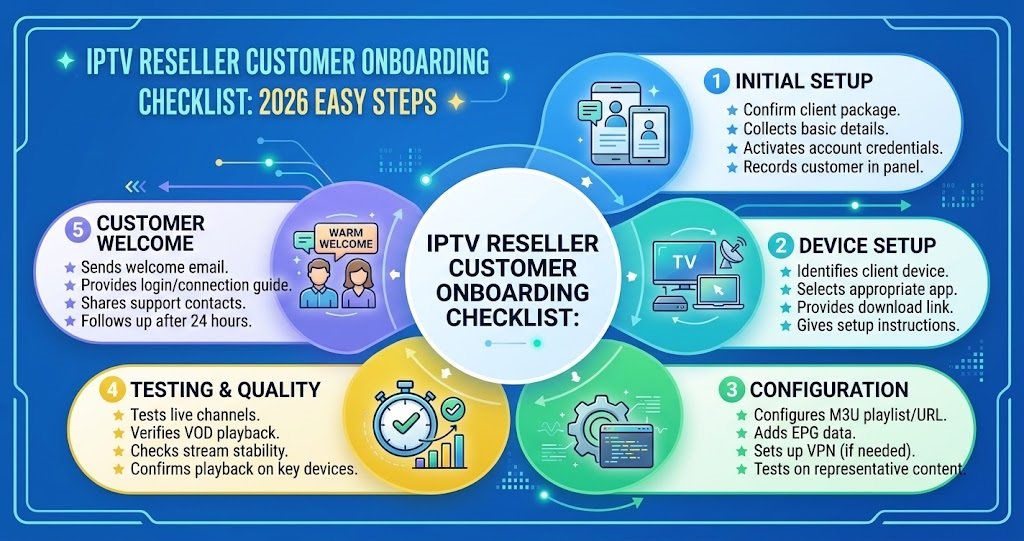
IPTV Reseller Customer Onboarding Checklist: 2026 Easy Steps
An IPTV Reseller Customer Onboarding Checklist covers everything that happens between a customer paying for their first subscription and actually watching something without a support message landing in your WhatsApp an hour later. Get this stage wrong and you lose people in the first week, no matter how stable your servers are. Get it right and a large chunk of your support workload disappears before it even starts.
Why Onboarding Decides Whether a Customer Stays or Refunds
Most IPTV Panel resellers put all their effort into the sale and almost none into what happens straight after it. That’s backwards. A customer who has already paid is not sold yet, not really. They’re sold once the app is working, the channels they wanted are there, and they know who to message if something breaks. Everything between payment and that moment is where trust is either built or lost.
The first 24 to 48 hours matter more than any other point in the customer relationship. This is when someone decides whether they made a good decision or wasted their money, and that decision is rarely based on picture quality. It’s based on how confused, or how looked after, they felt during setup.
What to Collect Before You Create the Account
Don’t create a subscription and then start asking questions. Ask first, so you only set the account up once.
- Device the customer will actually watch on (not what they own, what they’ll use daily)
- Preferred username or account name if your panel allows custom naming
- Region or timezone, particularly relevant for EPG accuracy
- Whether they need multiple connections for other household devices
- Their preferred contact method for support, since not everyone wants WhatsApp
Skipping this step is the single most common reason resellers end up reconfiguring an account twice in the same week.
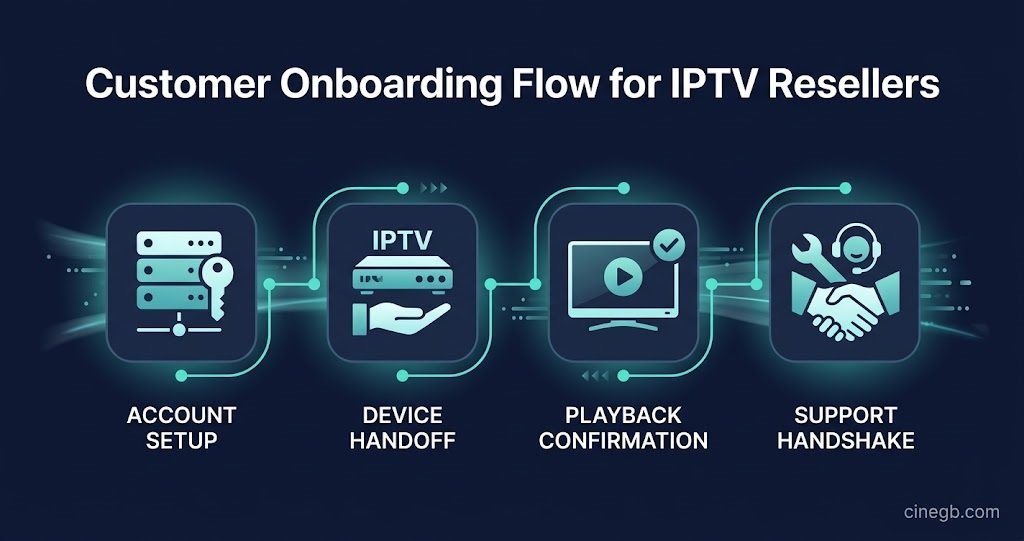
The IPTV Reseller Customer Onboarding Checklist: Core Stages
Every onboarding process, regardless of panel or provider, moves through the same four stages. Where resellers lose customers is almost always stage two or three, not stage one.
| Stage | What the customer needs | What often goes wrong |
|---|---|---|
| Account creation | Working login sent in one clear message | Credentials buried in a wall of text |
| App installation | Direct steps for their specific device | Generic instructions that don’t match their box |
| First playback | Confirmation the stream actually works | Reseller assumes it works and moves on |
| Aftercare | Clear line for issues in week one | No follow up until a complaint arrives |
Pro tip: Send login details and setup steps as two separate messages rather than one long block of text. Customers skim, and the credentials get lost in paragraph three almost every time.
Handing Off Setup by Device Type
A single generic setup guide sent to everyone is where a lot of first day frustration comes from. Firestick users need app sideloading steps that Smart TV users don’t. Smart TV owners often need to know which store app or player to search for by name. Mobile users usually just need a download link and their login, but they’re also the most likely to message you confused about buffering on mobile data rather than Wi-Fi.
Set top box customers are their own category entirely, since MAC address binding or activation codes are often involved, and getting that wrong at setup causes some of the most frustrating support tickets a reseller deals with.
If you’re running a reseller panel, keeping a short device specific message template ready for each major device type turns a fifteen minute setup conversation into a two minute one.
Setting Expectations in the First Message
Vague onboarding creates entitled refund requests, not because customers are unreasonable, but because nobody told them what to expect. Your first message after account creation should quietly cover three things: how long their subscription actually runs, what your refund position is if the service genuinely doesn’t work, and that credentials shouldn’t be shared beyond their own household if your reseller panel enforces connection limits.
None of this needs to read like a legal notice. A short, friendly line covering each point is enough, and it saves arguments later that are far harder to resolve once a customer already feels misled.
Common Onboarding Mistakes That Cause Early Churn
The same handful of mistakes show up across almost every IPTV reseller panel operation, regardless of panel provider or credit pack size.
Sending login details without confirming the customer actually received them is one. People change phone numbers, block unknown WhatsApp contacts by accident, or simply don’t check a message for a day. A short “did that come through okay” follow up catches this before it becomes a chargeback.
Assuming one setup guide fits every app is another. Ora Player, IPTV Smarters, and similar apps all have slightly different input fields, and a guide written for one confuses a customer using another.
Not confirming playback is the costliest mistake. A reseller who creates the account and disappears has no idea whether the customer is actually watching anything until a refund request arrives days later, by which point goodwill is already gone.
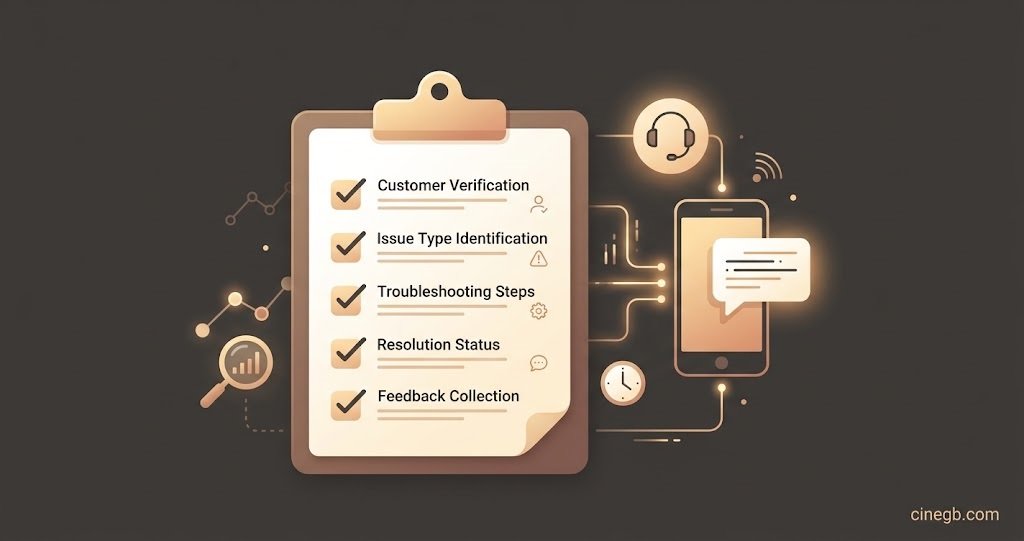
Pro tip: Ask for a screenshot of the customer’s home screen once the app loads. It takes seconds and immediately tells you whether the setup actually worked, rather than assuming it did.
When to Escalate Instead of Troubleshooting Yourself
Sub-resellers and smaller operators sometimes try to fix every issue themselves rather than pushing it up to whoever supplies their panel access. This works fine for basic app confusion, but server side buffering, EPG faults, or authentication errors are usually outside what a reseller can fix from their end.
Knowing the difference matters for how customers perceive you. A reseller who says “let me check that with our backend team” within minutes looks more competent than one who guesses at a fix that doesn’t work, then tries another, then another, while the customer’s patience runs out.
Onboarding Questions Resellers Actually Ask
How long should IPTV reseller onboarding actually take?
From payment confirmation to the customer watching something should realistically take under fifteen minutes for most device types, longer only for set top boxes needing manual activation.
Should setup instructions go out before or after payment?
A short preview of what setup involves before payment reduces confusion later, but full login credentials should only go out once payment is confirmed.
What’s the minimum information I need from a new customer?
Device type and region are the two non-negotiables. Everything else is helpful but not essential to a working first setup.
How do I cut down on refund requests in the first two days?
Confirming playback yourself rather than assuming it worked removes most of the guesswork that leads to unnecessary refund requests.
Does onboarding differ for sub-resellers managing their own customers?
The steps stay the same, but sub-resellers should agree in advance with their parent reseller on exactly who handles technical escalation, so customers aren’t left waiting between two people.
Getting an IPTV Reseller Customer Onboarding Checklist right isn’t about adding more steps, it’s about doing the same handful of steps in the right order every single time. Confirm device and region before creating the account, send credentials and setup steps separately, verify playback rather than assuming it, and make aftercare visible in the very first message. Reseller operations built around solid reseller panel fundamentals tend to see far fewer refund disputes simply because nothing was left to guesswork in week one. If you’re still working out pricing structure alongside your onboarding process, it’s worth reviewing how different IPTV panel reseller packages affect what level of support you can realistically promise at signup.
Reseller Onboarding Checklist
- Confirm device type and region before creating any account
- Send login credentials and setup steps as separate messages
- Match setup instructions to the customer’s specific app, not a generic guide
- Request confirmation or a screenshot once playback starts
- State subscription length and refund position in the first message
- Flag connection limits if your panel enforces them
- Escalate server side or authentication issues rather than guessing at fixes
- Follow up within 48 hours even if the customer hasn’t complained