
Contact Us

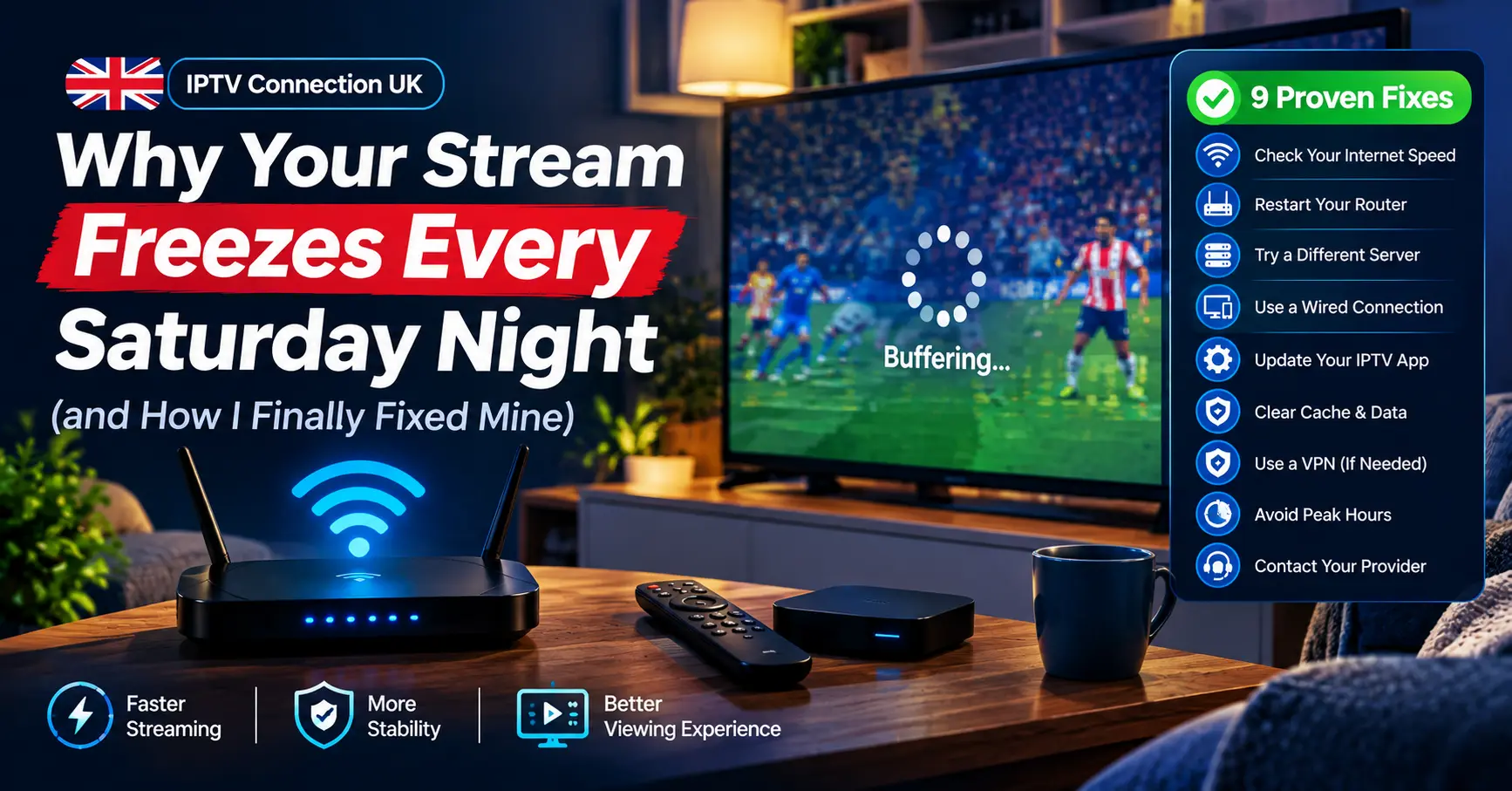
Why Your Stream Freezes Every Saturday Night (and How I Finally Fixed Mine)
Last winter, a friend in Leeds rang me at half nine on a Saturday night, absolutely furious. His stream had frozen for the fourth time in twenty minutes, the picture stuck on a blurry half-frame while the audio carried on cheerfully without it. He’d blamed his provider, his telly, and at one point his neighbour’s microwave.
Here’s the short answer I gave him, and the one I’ll give you: a stable IPTV connection UK homes can depend on comes down to three things working together. Your broadband line, your home network, and the quality of the server delivering the stream. Fix the weakest of the three and most buffering disappears.
I’ve spent the best part of fifteen years writing about broadband, streaming and the messy bits in between, and I’ve tested more set-top boxes than I’d care to admit. What follows are nine fixes I trust, in roughly the order I’d try them, plus the checks that tell you whether the fault is even yours to fix.
Why Your IPTV Connection UK Setup Stutters in the First Place
Streaming live television over the internet is far less forgiving than watching an on-demand film. On-demand apps quietly download several minutes ahead, building a cushion that hides most hiccups. Live streams can’t do that, because the content is happening right now, so the buffer is measured in seconds rather than minutes.
That thin cushion is why an IPTV connection UK viewers use at peak times feels so fragile. Between roughly 7pm and 11pm, residential broadband in Britain carries its heaviest load, and contention on local cabinets and exchanges rises with it. Ofcom’s home broadband performance research has shown for years that average speeds dip during evening peaks, sometimes noticeably on older copper-based lines.
Jitter and Packet Loss Matter Too
Packet loss and jitter matter just as much as raw speed. Jitter is the variation in how long data takes to arrive, and a stream copes with a slow line far better than an inconsistent one. It’s a bit like a delivery driver who turns up at random times; you’d honestly rather they arrived late but predictably.
The Wi-Fi Problem Nobody Suspects
Then there’s Wi-Fi, which is the culprit in more homes than people suspect. Microwaves, baby monitors, neighbouring networks and even fish tanks can interfere with a 2.4GHz signal. I once spent an entire evening convinced a provider was failing, only to discover my streaming stick was tucked behind a metal-backed television stand.
So before you reach for the phone to complain, it’s worth knowing which of these layers is letting you down. Is it your line, your router, or the server at the other end?
The Numbers Behind Smooth Streaming
Speed tests get a bad reputation because people run them once, see a big number and assume all is well. A single result at 2pm tells you very little about 9pm. I’d suggest running Speedtest by Ookla or Fast.com three times across an evening and noting the lowest figure, not the highest.
Below is the rough guide I use when someone asks what their line can realistically handle.
| Picture quality | Minimum stable speed | Comfortable speed | What usually goes wrong |
|---|---|---|---|
| SD (576p) | 4 Mbps | 8 Mbps | Rarely an issue on any modern line |
| HD (720p or 1080p) | 10 Mbps | 20 Mbps | Evening dips on shared or copper lines |
| Full HD at 50fps | 15 Mbps | 30 Mbps | Jitter causes stutter in fast motion |
| 4K UHD | 25 Mbps | 50 Mbps or more | Weak Wi-Fi rather than the line itself |
Notice the gap between minimum and comfortable. That headroom is what protects you when someone else in the house starts a large game download or a video call. Households with several screens running at once should add the figures together, which is where a full fibre upgrade starts to earn its keep.
ISPreview regularly reports on how full fibre is spreading across Openreach, CityFibre and the smaller altnet networks. If it’s arrived on your street, it’s often the single biggest improvement you can make.
Whatever your package, aim for ping under 40ms and packet loss as close to zero as possible. Those two figures will tell you more about your IPTV connection UK experience than the headline download speed ever will.
Nine Proven Fixes, From Easiest to Most Involved
None of these require a degree in networking, and every one of them has rescued an IPTV connection UK readers have written to me about at some point. Work through them in order, testing after each one, and you’ll usually find the problem long before number nine.
1. Restart Everything, Properly
Yes, it sounds obvious. But a proper restart means unplugging the router for a full sixty seconds, not tapping the power button. Routers that run for months build up memory clutter and heat, and a cold start clears the lot.
2. Get Off Wi-Fi Where You Can
A cheap Ethernet cable between router and streaming box is the most effective fix I know. If running a cable isn’t practical, powerline adapters from TP-Link or Devolo are a reasonable middle ground, though results vary with the age of your wiring. Mesh systems such as Google Nest Wifi or BT’s Whole Home kit help larger houses too.
Older British homes, with their thick internal brick walls, are notoriously hard on Wi-Fi signals. A wired link sidesteps the whole problem and is the closest thing to a guaranteed improvement on this list.
3. Move to the 5GHz Band
If cabling really isn’t an option, connect your device to the 5GHz network rather than 2.4GHz. It’s faster and less crowded, though it struggles more through walls. Placing the router out in the open, not inside a cabinet behind the telly, makes a genuine difference.
4. Change Your DNS
Your broadband provider’s default DNS servers aren’t always the quickest at resolving addresses. Switching to Cloudflare (1.1.1.1) or Google (8.8.8.8) can shave time off channel loading and occasionally fixes playlists that refuse to load at all. It’s a two-minute change on most router settings pages.
5. Pick a Better Player App
The app matters more than people think. TiviMate, IPTV Smarters Pro and the free VLC player all handle buffering differently, and TiviMate in particular lets you increase the buffer size in its playback settings. On an Amazon Fire TV Stick, I’d always try two apps before deciding your IPTV connection UK line is at fault.
6. Clear the Cache and Free Up Storage
Budget streaming sticks have very little memory, and once storage drops below a few hundred megabytes they slow to a crawl. Clear the app cache every few weeks and uninstall anything you don’t use. My old first-generation Fire Stick went from unwatchable to perfectly usable after this alone.
7. Check for ISP Traffic Management
Some providers manage traffic heavily at peak times, and streaming can be affected. Run a speed test, then run it again through a reputable VPN such as Proton VPN or Mullvad; if the VPN result is consistently better in the evening, traffic management is likely playing a part. A VPN isn’t a cure-all, mind, and on a weak line it can make things worse by adding overhead.
8. Lower the Quality at Peak Times
It isn’t glamorous, but dropping from 4K to 1080p during busy evenings removes a great deal of strain. Most viewers can’t tell the difference on a 43-inch screen from across the room. Save the higher-quality stream for daytime viewing when the network is quiet.
9. Upgrade the Line Itself
When everything above has been tried, the honest answer is that the line simply isn’t good enough. Moving from FTTC (fibre to the cabinet) to FTTP (fibre to the premises) changes the picture entirely, because full fibre suffers far less from evening slowdowns and gives any IPTV connection UK household a much steadier base. Check Openreach’s fibre checker or your provider’s availability page; you might be surprised what’s reached your road.
I’ll be honest, this is the fix I resisted longest myself, purely because of the hassle of switching. Within a week of moving to full fibre, my evening stutters had vanished, and I wondered why I’d waited so long.
Is the Problem Actually Upstream?
Sometimes your setup is spotless and the stream still falls over. If you’ve worked through the fixes above, run a wired connection, and still see buffering on every channel at the same moment, the issue probably lies with the server.
How the IPTV Panel Affects Your Stream
Behind every stream sits a server, and those servers are managed through what’s known as an IPTV panel. The panel is the back-office dashboard that controls user accounts, connection limits, server load balancing and stream sources. When it’s overloaded or poorly maintained, no amount of home tinkering will save your evening.
Signs the Fault Isn’t Yours
Several signs point to an upstream problem rather than a local one:
- Every channel buffers at the same time, then recovers together
- Other streaming apps on the same device play perfectly
- The trouble starts at almost exactly the same time each evening, regardless of your own usage
- Channel switching takes far longer than it used to
Should two or more of those ring true, your home IPTV connection UK side is probably fine, and it’s time for a conversation with your provider.
What a Premium IPTV Service Should Feel Like
Not every provider is built equally, and the differences show up most on a Saturday night. A premium IPTV service invests in server capacity, redundant sources and proper load balancing, which is precisely what keeps streams stable when demand spikes.
Cheap services cut those corners. They oversell connections on undersized servers, and the result is exactly the kind of evening my friend in Leeds endured.
What to Look For Before You Pay
What should you actually look for? Fast channel switching, an accurate programme guide, catch-up that works, responsive support and, above all, consistency at peak times. Price alone tells you very little, though suspiciously low prices nearly always mean overselling.
Server geography plays a part as well. Providers routing UK viewers through nearby data centres in London, Amsterdam or Frankfurt tend to deliver lower latency than those bouncing traffic halfway across the world.
Test Before You Commit
Legitimacy matters too. Stick to services that are properly licensed for the content they carry, because unlicensed streams are both legally risky and, in my experience, far less reliable. The best way to judge a provider before committing is a structured trial, and I’ve written a step-by-step guide for exactly that: Your IPTV Demo Panel Checklist: Test Like a Pro, Buy With Confidence → /iptv demo panel checklist.
Testing during a weekday evening, rather than a quiet afternoon, shows you how the service behaves on your real-world IPTV connection UK setup at its busiest.
A Quick Note for Anyone Running an IPTV Reseller Business
Plenty of readers who find this kind of article aren’t just viewers. They’re running small subscription businesses, and buffering complaints land in their inbox, not mine.
For an IPTV reseller, the quality of your upstream supplier is your reputation. Every frozen stream your customers see gets blamed on you, regardless of where the fault sits. Choosing a supplier with a well-built IPTV panel, transparent server status and genuine technical support is the single best investment you can make.
Educating customers pays off as well. Sending new subscribers a short guide on wired connections, DNS and app settings cuts support tickets dramatically, because most complaints trace back to home Wi-Fi rather than the service. A well-informed customer with a solid IPTV connection UK household setup rarely churns.
Running an IPTV reseller operation well also means watching your own complaint patterns. When five customers in different towns report freezing at 9pm on the same night, that’s a supplier issue worth raising immediately; when one customer complains repeatedly, it’s usually their home network.
Anyone considering that route should read up on credits, panels and support workflows first: how to become an IPTV reseller in the UK → / become iptv reseller uk
My Weekend Testing Checklist for an IPTV Connection UK Viewers Can Trust
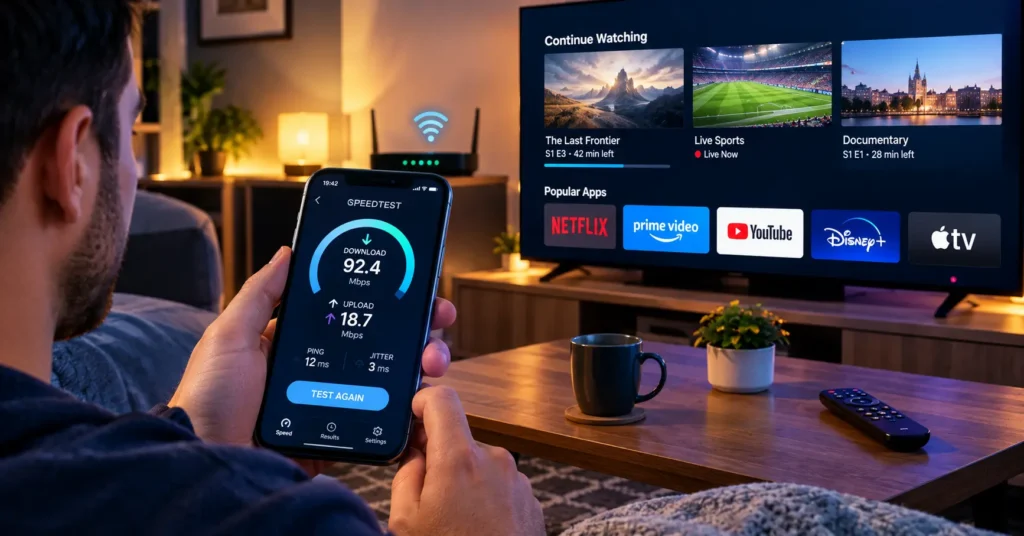
This is the routine I run whenever I’m assessing a new service or helping a reader troubleshoot. It takes about an hour, spread across one weekend.
- Run three speed tests on Friday between 8pm and 10pm and write down the lowest result
- Connect the streaming device by Ethernet, even temporarily, to rule Wi-Fi in or out
- Switch DNS to Cloudflare or Google and note any change in channel loading time
- Install a second player app and compare buffering on the same channel
- Watch a fast-moving live programme for at least thirty minutes during peak hours
- Check whether catch-up and the programme guide load without delay
- Repeat one test on Sunday afternoon to compare quiet and busy periods
By Sunday evening, you’ll know with reasonable certainty whether your IPTV connection UK problems are local, upstream, or a mix of both. That clarity alone saves hours of frustrated guesswork.
Pro Tips I Wish Someone Had Told Me Sooner
- Give your router’s 2.4GHz and 5GHz networks different names, so devices can’t silently drop to the slower band.
- Keep your streaming device’s firmware and player apps updated, but wait a few days after major releases in case of bugs.
- Schedule large downloads, cloud backups and console updates overnight rather than during the evening.
- If your router came free from your ISP years ago, a modern Wi-Fi 6 router can transform an IPTV connection UK homes have struggled with for ages.
- Ask your provider which server location they route UK customers through; a nearby European server usually means lower latency.
Individually, none of these is revolutionary. Together, they’re the difference between a setup that merely copes and one that genuinely performs.
One Last Thought Before You Reach for the Remote
Buffering feels personal when it interrupts the one programme you’ve waited all week to watch. The good news is that almost every IPTV connection UK problem has a cause you can identify, and most of them can be fixed in an afternoon.
Start with the cable, check the numbers, and judge your provider fairly on a busy evening rather than a quiet one. Get those basics right, and you’ll spend your Saturday nights watching the screen instead of shouting at it.
Frequently Asked Questions
What speed do I need for a reliable IPTV connection UK homes can use for HD?
HD streaming needs a stable 10 Mbps as a practical minimum, but 20 Mbps gives comfortable headroom. If you plan to watch 4K, look for at least 25 Mbps and preferably 50 Mbps or more. These figures are per stream, so multiple screens add up quickly. Stability matters as much as speed, so check your ping and packet loss too.
Why does my IPTV buffer only in the evening?
Evening buffering is usually caused by congestion, either on your broadband provider’s network or on the service’s servers. Between about 7pm and 11pm, demand peaks right across the country. Test your IPTV connection UK setup with a wired cable and a VPN to work out which side the problem sits on. If every channel freezes at once, the server is the more likely cause.
Is a VPN necessary for an IPTV connection UK subscribers rely on?
Whether you need one depends largely on your broadband provider. A VPN can help where traffic management slows streaming at peak times, but it also adds overhead that can hurt weaker lines. Compare speeds with and without one before deciding. If you do use one, choose a reputable paid service, as free options are often too slow for live streaming.
What is an IPTV panel and why does it matter to viewers?
An IPTV panel is the management dashboard providers and resellers use to control accounts, connection limits and server resources. Viewers never see it, but its quality directly affects stream stability. A well-managed panel balances load across servers so peak demand doesn’t overwhelm any single one. A poorly run one is often the hidden reason behind constant buffering.
How do I know if I’m paying for a premium IPTV service?
Look for consistency at peak times, fast channel switching, a reliable programme guide and responsive support. A premium IPTV service will usually offer a trial so you can test it on your own line before committing. Transparent licensing and clear terms are good signs too. Very cheap annual deals with unlimited promises are usually a warning rather than a bargain.


[…] Your own connection matters too, of course. Run a quick check with Speedtest by Ookla before blaming anyone else, and if you’re new to diagnosing peak-time drops, I’ve written up the exact routine I follow in Why Your Stream Freezes Every Saturday Night (and How I Finally Fixed Mine) → /why your stream freezes every saturday night […]